
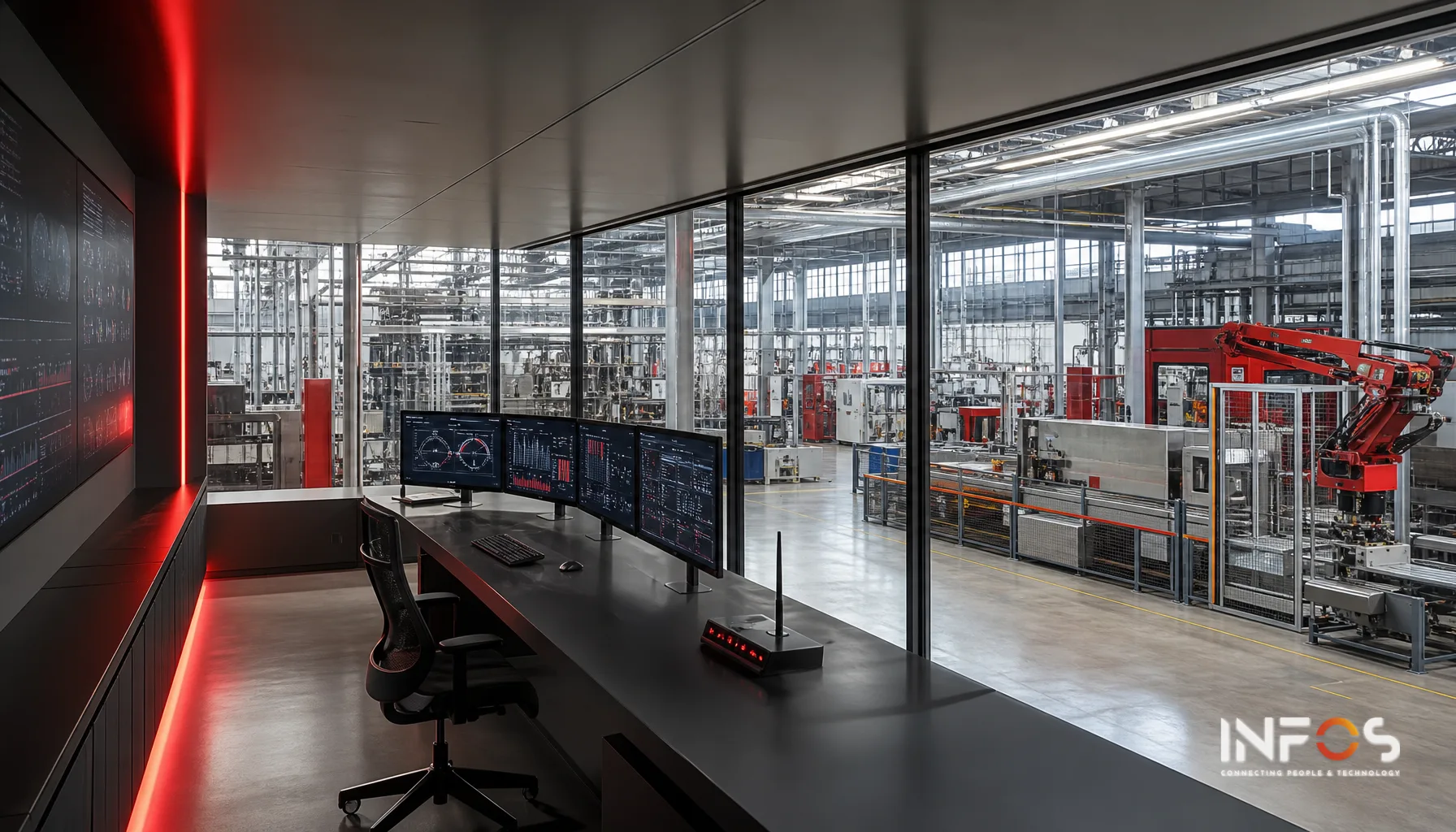
In a knitwear factory in the Vale do Ave running three shifts and twelve circular knitting machines, the supervisor records stoppages in a black-covered notebook. The notebook has been in use for eight years. Each machine's PLC generates events in real time — but nobody reads them. According to Siemens data (2024), unplanned downtime costs the world's 500 largest companies the equivalent of 11% of annual turnover. In Portugal, where productivity per hour worked was around 67% of the EU average in 2022 (Eurostat), the cost of ignoring those events is proportionally higher — because the margin to absorb inefficiency is smaller.
Integrating PLCs via OPC-UA with KORA Productivity is not a matter of modernisation. It is a matter of sovereignty over production data. As long as the events remain trapped in the equipment's firmware, the factory has no OEE — it has an estimate. And an estimate is no use for responding to an international buyer who demands compliance data per batch, nor for meeting the OT network monitoring requirements that DL 65/2025 imposes on industrial entities covered by NIS2.
What follows is a technical and operational description of the real integration options, of the trade-offs by factory profile, and of what fails when the implementation is rushed — including the mistakes that integration manuals do not document because they only become visible three months after go-live.
Why OPC-UA and not a direct connection to the PLC
The issue is not technological — it is political. Each PLC manufacturer (Siemens, Schneider, Mitsubishi, Omron, Allen-Bradley) has its own proprietary protocol. A direct connection implies a specific driver, a specific firmware version and, often, a support contract with the equipment manufacturer. When a factory has equipment from three different generations — and in Portugal that is the norm, not the exception — the proliferation of drivers becomes unmanageable. The IT team ends up dependent on the equipment supplier for every new indicator that production wants to monitor.
OPC-UA (IEC 62541) solves this with a unified, object-oriented information model, with native security (X.509 certificate authentication, TLS 1.2/1.3 encryption) and platform independence. The OPC-UA server runs alongside the equipment; the OPC-UA client — in this case, KORA Productivity — subscribes to the data nodes it needs. The factory no longer has to negotiate with the PLC supplier every time it wants a new indicator. That is the structural difference.
OPC-UA integration is not an IT project. It is an architecture decision that determines who controls production data over the next ten years — the factory or the equipment supplier.
What OPC-UA carries that other protocols do not
Modbus RTU/TCP carries raw numerical values. MQTT carries lightweight messages but no semantics. OPC-UA carries context: the node Tear_07/Estado/Paragem is not just a bit — it is an object with a type, a unit of measurement, a timestamp with 100 ns resolution, history and quality metadata. When batch traceability is demanded by an apparel customer who subcontracts production in Portugal for European brands, that context is the difference between a compliance report and an Excel file with approximate dates. The distinction matters: the buyer accepts a report; they reject the Excel.
OPC-UA vs. alternatives: technical comparison
| Protocol | Data semantics | Native security | Multi-vendor support | Suitability for MES/ERP | Implementation complexity |
|---|---|---|---|---|---|
| OPC-UA | High (object model) | Yes (X.509 + TLS) | High | High | Medium-high |
| Modbus TCP | None (raw registers) | No | High | Low (requires manual mapping) | Low |
| MQTT | Low (free payload) | Optional (TLS) | High | Medium (depends on schema) | Low-medium |
| PROFINET | Medium | Limited | Low (Siemens-centric) | Medium | High |
| Proprietary driver | High (if well mapped) | Variable | None | High (but fragile) | High + lock-in |
What has changed to make this relevant now
Three forces have converged over the last 36 months. New-generation PLCs — even in medium-sized factories — ship from the factory with an integrated OPC-UA server: Siemens S7-1500, Schneider Modicon M340/M580, Omron NX/NJ. No additional hardware is required. The cost of an industrial OPC-UA gateway for older PLCs has dropped enough to make retrofitting economically viable for equipment from the 2000s. And the NIS2 Directive, transposed into Portuguese law by DL 65/2025, requires critical industrial infrastructures to implement controls that explicitly include the segregation of OT/IT networks — OPC-UA, with its certificate-based security model, is the cleanest technical answer to that requirement.
These three forces do not act independently. A textile factory that needs to segregate its OT network to comply with NIS2 has, at that moment, the technical and regulatory argument to replace unauthenticated Modbus with OPC-UA over TLS. The compliance project funds the modernisation of the data architecture. Those who do not take advantage of this window will pay twice: first for compliance, then for integration.
The impact of NIS2 on OT architecture
The NIS2 Directive does not mandate OPC-UA. It mandates access controls, encryption in transit and event monitoring on operational networks. A factory that still uses unauthenticated Modbus between the PLC and the data collection server is, technically, in breach of the NIS2 security requirements for industrial-sector entities. OPC-UA with certificate authentication and TLS solves this structurally — not as a patch, but as architecture. To go deeper into the required technical controls, read NIS2 in depth: technical controls for the Portuguese factory.
The real state of digitalisation in Portugal
In 2025, only 53.7% of companies in Portugal used ERP and 45% carried out data analysis (INE, 2025). Real-time data capture on the shop floor is even less common. The textile and clothing sector accounts for around 20% of employment in national manufacturing industry (ATP) and around two thirds of its output is destined for export — which means that pressure from international buyers for compliance and traceability data is not a future trend. It is a present demand, in contracts that are already signed.
Real architectures: three technical options with trade-offs
There is no single way to integrate PLCs via OPC-UA with a production data capture system. The choice depends on the generation of the equipment, the network infrastructure available and the tolerance for downtime risk during implementation. The three options below cover most Portuguese factory profiles — and each has a specific point of failure worth knowing before you start.
Option A — PLC with native OPC-UA server
For recent-generation PLCs (post-2015, typically). The OPC-UA server is integrated into the controller's firmware. Configuration comes down to enabling the server, defining the nodes to expose and configuring the security certificates. KORA Productivity connects directly as an OPC-UA client. Latency is typically below 100 ms for state events, no additional hardware is needed on the shop floor, and the downtime risk during configuration is low because it can be done in online mode. The limitation that manuals rarely mention: the number of exposed nodes may be limited by firmware licence — and discovering that limit after you have mapped 200 variables is a setback that delays the project by weeks.
Option B — OPC-UA gateway (retrofit for older PLCs)
For PLCs from the 1990s–2010s with Modbus RTU, Profibus or proprietary protocols. An industrial gateway — dedicated hardware or software on an industrial PC — performs the protocol conversion and exposes an OPC-UA server. Manufacturers such as Kepware, Matrikon or Softing offer gateways with support for hundreds of drivers. The gateway allows legacy equipment to be integrated without replacement, which is decisive in apparel factories in the North where the sewing machines have PLCs from the 2000s that still work and are not going to be replaced. The point of attention: the gateway is a single point of failure if it has no redundancy configured, and the additional maintenance — gateway firmware, driver licences — is a recurring cost that the initial budget tends to underestimate.
Option C — Edge computing with an OPC-UA aggregator
For factories with multiple production cells or multiple floors. An aggregating OPC-UA server collects data from several PLCs — native or via gateway — and exposes a single endpoint to KORA Productivity. It reduces network traffic and allows local processing (filters, aggregations, anomaly detection) before sending to the central server. The architecture is more resilient: the edge continues to collect data even without a connection to the central server, which is relevant in factories with unstable network links between floors. Suitable for factories with more than 20 PLCs or with networks segmented by zone, and compatible with the OT/IT segregation requirements of NIS2. The trade-off is the greater complexity of configuration and maintenance — two systems to manage instead of one.
Decision matrix by factory profile
| Factory profile | Equipment generation | No. of PLCs | Recommended architecture | Typical implementation timeframe | Main risk |
|---|---|---|---|---|---|
| Textile/knitwear, 1 floor, mixed equipment | 2005–2020 | 5–15 | OPC-UA gateway per cell | 8–14 weeks | Incorrect variable mapping |
| Footwear, assembly line, recent PLCs | 2015–present | 3–8 | Native OPC-UA | 4–8 weeks | Firmware licences |
| Metal/plastic, multiple cells, injection moulding | Mixed (1995–2022) | 15–50 | Edge aggregator + gateways | 16–24 weeks | OT/IT network segmentation |
| Clothing, garment making, older equipment | 1995–2010 | 2–10 | OPC-UA gateway or KORA industrial terminals | 6–12 weeks | PLCs without standard protocol support |
| Industrial distribution, automatic picking lines | 2010–present | 8–20 | Native OPC-UA + edge | 10–16 weeks | Integration with existing WMS |
What fails in practice — and the manuals don't say
The OPC-UA integration project does not fail at the protocol layer. It fails at variable mapping — when no one in the factory knows what the address
DB47.DBX12.3means in process terms.
The most common mistake is not technical — it is organisational. The PLC has hundreds of internal variables. The integrator configures the OPC-UA server and exposes all of them. The capture system starts receiving data. But no one has mapped which variables correspond to "stoppage due to lack of material", "stoppage due to breakdown", "cycle in progress" or "part rejected". The result is a working OPC-UA server and an OEE dashboard with figures that no one trusts. That loss of credibility is hard to recover — the production team goes back to the black-covered notebook and the project remains technically active but operationally dead.
The distributed timestamp problem
In a factory with ten PLCs from different manufacturers, each controller has its own internal clock. If those clocks are not synchronised via NTP (Network Time Protocol), production events arrive at KORA Productivity with inconsistent timestamps. A knitting machine that stopped at 14:32:07 may appear in the system as having stopped at 14:31:54 — a difference of 13 seconds that, for SMED analysis or OEE calculation per shift, introduces systematic errors that accumulate over weeks. Configure NTP on all PLCs before connecting the OPC-UA server. It is not optional and it is not a fine-tuning step — it is a prerequisite.
Certificate security in an industrial environment
OPC-UA uses X.509 certificates for mutual authentication between client and server. In an office environment, certificate management is routine. In an industrial environment, it is often ignored — with a sequence of events that recurs with worrying regularity. The integrator configures the OPC-UA server in "no security" mode during testing, to keep things simple. The project ends. Security mode is never enabled. The factory ends up with an OPC-UA server accessible without authentication on the OT network — exactly the scenario that NIS2 aims to eliminate. Audit the security mode of each OPC-UA server as a condition of project acceptance, not as an afterthought check.
Bandwidth and polling vs. subscription
OPC-UA supports two data collection models: polling (the client asks periodically) and subscription (the server notifies when the value changes). Polling at short intervals across many nodes can saturate the OT network of a textile factory that uses unmanaged 100 Mbps switches shared with production terminals. Always use the subscription model with a configured deadband — the server only notifies when the value changes beyond a defined threshold. For analogue signals such as temperature or voltage, a deadband of 0.5% eliminates 80 to 90% of unnecessary traffic without loss of relevant information. It is a five-minute setting that avoids a network problem that takes days to diagnose.
Integration with KORA Productivity: what happens after OPC-UA
OPC-UA is the transport layer. The value lies in what KORA Productivity does with the data after receiving it. The integration does not end when the OPC-UA client starts receiving values — it ends when those values produce reliable operational indicators that reach Qlik Sense and the MULTI ERP without manual intervention.
Mapping events to production orders
An OPC-UA event ("Tear_07 stopped") has, in itself, no business context. KORA Productivity associates that event with the production order active on the knitting machine at that moment, with the registered operator, with the article in progress and with the shift. This mapping is the core of the integration — and the full process is described in KORA Productivity on the shop floor: from paper to validated OEE.
Stoppage classification rules
OPC-UA delivers a state bit: "stopped" or "running". Classifying the cause of the stoppage — mechanical breakdown, lack of material, setup, planned stoppage — is done by rules configured in KORA Productivity, with optional confirmation by the operator via an industrial terminal. Without this classification, OEE is a number. With it, it is a diagnosis. Configuring these rules follows a sequence that should not be altered:
- Define the list of stoppage causes with the production manager — not with the IT integrator. The causes must match the language of the shop floor, not the taxonomy of the system manual.
- Configure automatic rules for stoppages lasting less than 2 minutes (micro-stoppages) — they are classified automatically without operator intervention.
- For stoppages longer than the configured threshold, the industrial terminal prompts the operator to select the cause. The timeout should be short — 30 to 60 seconds — so as not to interrupt the workflow.
- Review the rules after 30 days of operation. The first real data always reveals causes not foreseen in the initial configuration — and ignoring that review means the system continues to classify incorrectly for months.
Upstream integration: from OEE to the ERP
The production data captured via OPC-UA feeds the MULTI ERP with quantities produced, actual cycle times and material consumption confirmed by weighing or automatic counting. This closes the loop between planning (production orders issued by the ERP) and execution (confirmed by KORA via OPC-UA). The bidirectional integration is described in detail in KORA Productivity: real-time shop floor control.
What works in practice
Pattern 1 — Phased implementation by production cell
The temptation is to connect all the PLCs at once. The risk is proportional. The pattern that works starts with a single production cell — the most critical machines in OEE terms — and stabilises the integration over four to six weeks before expanding. In a plastic injection factory in the Aveiro–Marinha Grande corridor, that may mean starting with the four presses with the highest stoppage rate and only then moving on to the rest of the line. When the expansion happens, the team already knows the typical mapping errors, already has NTP synchronisation validated and already knows which stoppage causes were missing from the initial list. The time gained in the expansion phase more than makes up for the time "lost" in the stabilisation phase.
Pattern 2 — Physical separation of the OT network
In Vale do Ave textile factories with flat networks — all devices on the same VLAN — OPC-UA integration is the right moment to implement the OT/IT segmentation required by NIS2. The OPC-UA server sits on the OT network; the KORA Productivity client sits on the IT network; communication passes through an industrial DMZ with a firewall configured to allow only the OPC-UA port (4840/TCP by default) with certificate authentication. This architecture does not delay the project — it defines it correctly from the outset. Doing it after go-live means reconfiguring addressing, certificates and firewall rules with the system in production. It is possible, but it costs twice the time.
Pattern 3 — Cross-validation with manual data during the transition
During the first few weeks after activating the OPC-UA integration, keep the manual recording in parallel. Not out of distrust of the system — but because comparing what the operator records with what the PLC reports reveals discrepancies that are, invariably, mapping or configuration errors. In a footwear factory in Felgueiras, this cross-validation period may reveal that the "part produced" sensor counts press cycles — including empty cycles during setup — and that the good parts counter needs an additional exclusion rule. Without cross-validation, this error would only be detected months later, when the accumulated OEE failed to match the actual invoiced production.
Parallel manual recording is not a sign of distrust in the digital system. It is the only method that guarantees that the digital system is measuring what the factory thinks it is measuring.
How to measure success after implementation
OPC-UA integration has no single success indicator. It has a sequence of validations that must be carried out in distinct phases — and which, if skipped, turn a technically functional project into an operationally useless one.
- Week 1–2: Check data completeness — the percentage of production events captured automatically vs. recorded manually. The target is above 95% automatic capture for the integrated PLCs.
- Week 3–4: Validate timestamp consistency — compare the PLC log with the KORA Productivity log for the same events. Deviations greater than 1 second indicate an NTP synchronisation problem.
- Month 2: Compare the OEE calculated by KORA with the OEE calculated manually for the same period. A difference greater than 3 percentage points indicates a mapping or stoppage classification error.
- Month 3: Check whether the production data confirmed by KORA matches the quantities invoiced in the MULTI ERP. This is the most rigorous end-to-end integration test — and the only one that the finance department will accept as proof that the system works.
- Quarterly: Audit the OPC-UA certificates — validity, rotation, list of authorised clients. An expired certificate on a production OPC-UA server can cause a silent data collection stoppage that is only detected when the dashboard goes blank.
The lead time of a well-executed integration
An OPC-UA integration implementation with KORA Productivity, for a factory with 8 to 15 mixed-generation PLCs, typically takes between 10 and 16 weeks from the initial survey to acceptance in production. Projects that promise less than 8 weeks for this profile are skipping the cross-validation phase or leaving the security configuration for later. Both omissions create problems that cost more to fix than the time they saved. The timeframe is not a negotiation variable — it is a consequence of the real complexity of variable mapping and data validation.
For factories in the textile sector or the footwear sector that are evaluating this integration, the article KORA Productivity on the shop floor: from paper to validated OEE describes the complete process from data capture to indicator validation. And if the question is how industrial mobility extends from the shop floor to the warehouse, Industrial mobility in the warehouse: KORA Inventory vs. paper closes that loop.
Production data either belongs to the factory or remains trapped in the equipment's firmware. There is no technical middle ground — only architecture decisions that were or were not taken.
Sources
- Siemens, The True Cost of Downtime 2024, Siemens AG, 2024.
- INE — Statistics Portugal, Survey on the Use of Information and Communication Technologies in Enterprises 2025, INE, 2025.
- Eurostat, Labour productivity per hour worked, Eurostat database (code: TEC00116), 2022 data.
- ATP — Portuguese Textile and Clothing Association, Textile and Clothing Sector Statistics, ATP, 2025/2026.
- IEC 62541 — OPC Unified Architecture, International Electrotechnical Commission, current edition.
- Directive (EU) 2022/2555 of the European Parliament and of the Council (NIS2), Official Journal of the European Union, 2022; transposed into Portuguese law by Decree-Law 65/2025.
Frequently asked questions
What is OPC-UA and why does it matter for my factory?
OPC-UA is a communication protocol that allows production systems (such as PLCs) to share data securely and in a standardised way. It stands out for carrying not just numerical values, but complete context: data type, unit of measurement, precise timestamp and history. This is essential when you need batch traceability or regulatory compliance.
What is the difference between OPC-UA and Modbus or MQTT?
Modbus carries only raw values with no native security. MQTT is lightweight but has no structured semantics. OPC-UA offers a unified object model, native security with X.509 certificates and TLS encryption, and works with equipment from multiple manufacturers. For compliance reports, OPC-UA is the only option acceptable to international customers.
Do I need additional hardware to implement OPC-UA?
It depends on the age of your equipment. Modern PLCs (Siemens S7-1500, Schneider M580, Omron NX) already include an integrated OPC-UA server. For older equipment, there is the option of an industrial OPC-UA gateway, whose economic viability has improved significantly over the last three years.
How does NIS2 affect my decision about OPC-UA?
Decree-Law 65/2025 requires critical industrial infrastructures to implement access controls, encryption in transit and event monitoring. Unauthenticated Modbus is in breach of these requirements. OPC-UA with certificates and TLS solves these controls structurally, not as a temporary patch.
Why can't I use direct connections to the PLC instead of OPC-UA?
Direct connections require a specific driver for each PLC manufacturer. When a factory has equipment from three different generations — a common situation in Portugal — the proliferation of drivers becomes unmanageable. In addition, you become dependent on the supplier for every new indicator you want to monitor. OPC-UA eliminates that dependency.
What is the real impact of not having real-time access to PLC data?
Without OPC-UA integration, stoppage events remain trapped in the equipment's firmware. This means you have no real OEE, only an estimate. You cannot respond to international buyers who demand compliance data per batch, nor meet regulatory monitoring requirements. The cost of this inefficiency is proportionally greater in Portugal.
What is the ideal timing to implement OPC-UA in my factory?
Three factors have recently converged: new PLCs include integrated OPC-UA, the cost of gateways for older equipment has dropped, and NIS2 requires security controls that OPC-UA solves. If you need NIS2 compliance, use that project to fund the modernisation of your data architecture. Delaying means paying twice: first for compliance, then for integration.